Thursday, 3 July 2014

MINEBUILDER V.1.12 FULL

Minebuilder logo 
Remember playing with lego? Imagine doing that in a huge world, on the move, with your friends!

Minebuilder is the first major game that we as a studio have released. It is an open world game that gives you a large number of tools and building blocks to create your own adventure. Endless worlds with a huge number of different blocks and tools you can use.

Minebuilder works on iOS and Android and can be played on most devices. You can play the multiplayer mode from anywhere as long as you have an internet connection and a server program running on a PC. The server program can be downloaded from our website and works on Windows and Mac OS.  

Screenshot
Screenshot 

Screenshot
Screenshot 


DOWNLOAD BELOW :

http://freesmsandroid.com/img/Download-button-now.png
from : galaxyminiturkiye

Sunday, 22 June 2014

[S5670DXKT7] SAMSUNG GALAXY FIT STOCK ROM FIRMWARE


Below you will find all available downloads for S5670DXKT7 firmware version for N/A (GT-S5670) from region XSE (Indonesia)!

Firmware Version Info
(PDA: CSC: MODEM: CHANGELIST: 1018612 BUILD DATE: 08.03.2012)

Select mirror you want to download from :


NOTE : UNTUK INSTRUKSI PENGINSTALAN ANDA BISA MENCONTOH ARTIKEL SEBELUMNYA ! ==>> http://rifaldiwahyu.blogspot.com/2014/05/s5670dxkt4odinsud-samsung-galaxy-fit.html
 

Tuesday, 10 June 2014

Gangstar Miami Vindiction (Armv6^ QVGA, HVGA, WVGA)

Description:
 Enjoy the most immersive full-3D crime simulation ever on smartphone! Gangstar: Miami Vindication has a new, unique feel that delivers a deep storyline of revenge: plunge into Miami gang life and live a fast-paced adventure to liberate your little brother who has been kidnapped by the Armada gang for unknown reasons…


   Features:

    A long lifespan, far beyond the typical smartphone game, with more than 75 varied missions: infiltrate gangs, snipe enemies, escort witnesses, chase cars and survive the jungle of Miami.
    An amazing reconstruction of an entire sprawling metropolis with a massive open-ended environment that recreates Miami, including Downtown, Miami Beach, The Harbor, Miami Bay, and The Swamps.
    New amazing vehicles to drive, from regular cars & motorcycles to boats, jet skis and even a helicopter!
    Defeat rival gang members by using a new arsenal of weapons including grenades, flame throwers and Molotov cocktails. See just how it feels to blow out Miami!
    A deep storyline of revenge: the scenario was jointly written with a scriptwriter from the popular TV show, “The Wire” and is delivered by countless breathtaking, voice acted cutscenes.
    A true feeling of freedom: complete missions at your own pace and do absolutely anything you want, by day or by night.
    Radio stations broadcast popular songs from famous hip-hop, rock and electro artists, including artists from the famous Ninja Tunes label.


DOWNLOAD BELOW :


Note : place the gangstar2 folder in \Gameloft\games and install apk file.

Saturday, 7 June 2014

[ROM][PRE-ROOTED][DXKT7]DEODEXED STOCK ROMS For GALAXY FIT

I AM NOT RESPONSIBLE FOR ANY DAMAGE CAUSED TO YOUR DEVICE OR SD CARDS ETC DURING FLASHING OR INSTALLING(SAFE NO NEED TO PANIC)

As many requested rooted stock rom for their daily use and to check their theming work kernels etc stuff...here i present stock rooted roms for galaxy fit which are 100% safe and can be flashed via CWM directly .
I know many of the devlopers and senior members know how to cook this roms so please i kindly request you not to spam the thread please keep thread clean..


NO HARD BRICK RISK!


 ADVANTAGES :

1. pre-rooted
2. CWM flashable
3. No need of odin and its risky process
4. unthemed(good for testers and themers)

DISADVANTAGES :

LOL :P NONE...

FEATURES :

1. fully deodexed and pre-rooted
2. overclock kernel upto 800Mhz (thanks to @wilfredcool007)
3. faster and better than stock
4. edited spinning pngs for newer look
5. int.d support
6. all language support
7. app2sd support
8. pure stock experience redifined
9. s2 bootanimation
10. Zipalligned apps
11. call recording kernel used (click on kernel to see more features)

INSTALLATION PROCEDURE:

- Download and install GingerBread 2.3.x using Odin.
- Download and install ClockWorkMod (CWM) CWM Recovery using Odin.
- Download ABC.zip and save it on your SD card.
- Boot into Recovery, wipe data and cache.
- Install ABC.zip via Recovery.
- again wipe data and cache
- Reboot now.
DOWNLOAD BELOW :


PATCHES :
PLEASE BACKUP SYSTEM UI APP FIRST...
Its for gingerbread 2.3.X

Installation:
*.Install zip through recovery
*.Wipe Cache and Dalvik-cache
*.Reboot
*.You can modify the toggles with QuickPanelSettings application!

14 TOGGLES (only for deodexed rom)

please note: do a wipe cache and wipe dalvik cache after installing this patch


sumber : http://forum.xda-developers.com/showthread.php?t=2337683


Saturday, 17 May 2014

Cara Mengecek Android Palsu/Replika Dengan Yang Asli


Apa itu Hp Replika ?

Yaitu hp tiruan yang bentuknya mirip dengan hp aslinya. Jadi hp replika bisa dikatakan sebagai hp palsu yang dibuat sedemikan rupa menyerupai wujud dari barang yang original yang mana spesifikasinya berbeda dengan spek hp asli yang ditirunya.

Hp android palsu/replika kini banyak beredar dan harganyapun sangat miring. Hp-hp replika tentu me-replikakan hp2 yang berkelas seperti Galaxy S4, Galaxy S3, iPhone, Nokia N8, dll

Replika = Clone = KW = Copy = King Copy = SuperCopy
Saya pernah berkeliling di suatu forum jual beli dan tiba-tiba menemukan seorang penjual yang menjual Samsung Galaxy S4 baru seharga hanya 3.7 juta, padahal harga baru aslinya 7 jutaan. Dan ternyata itu replika

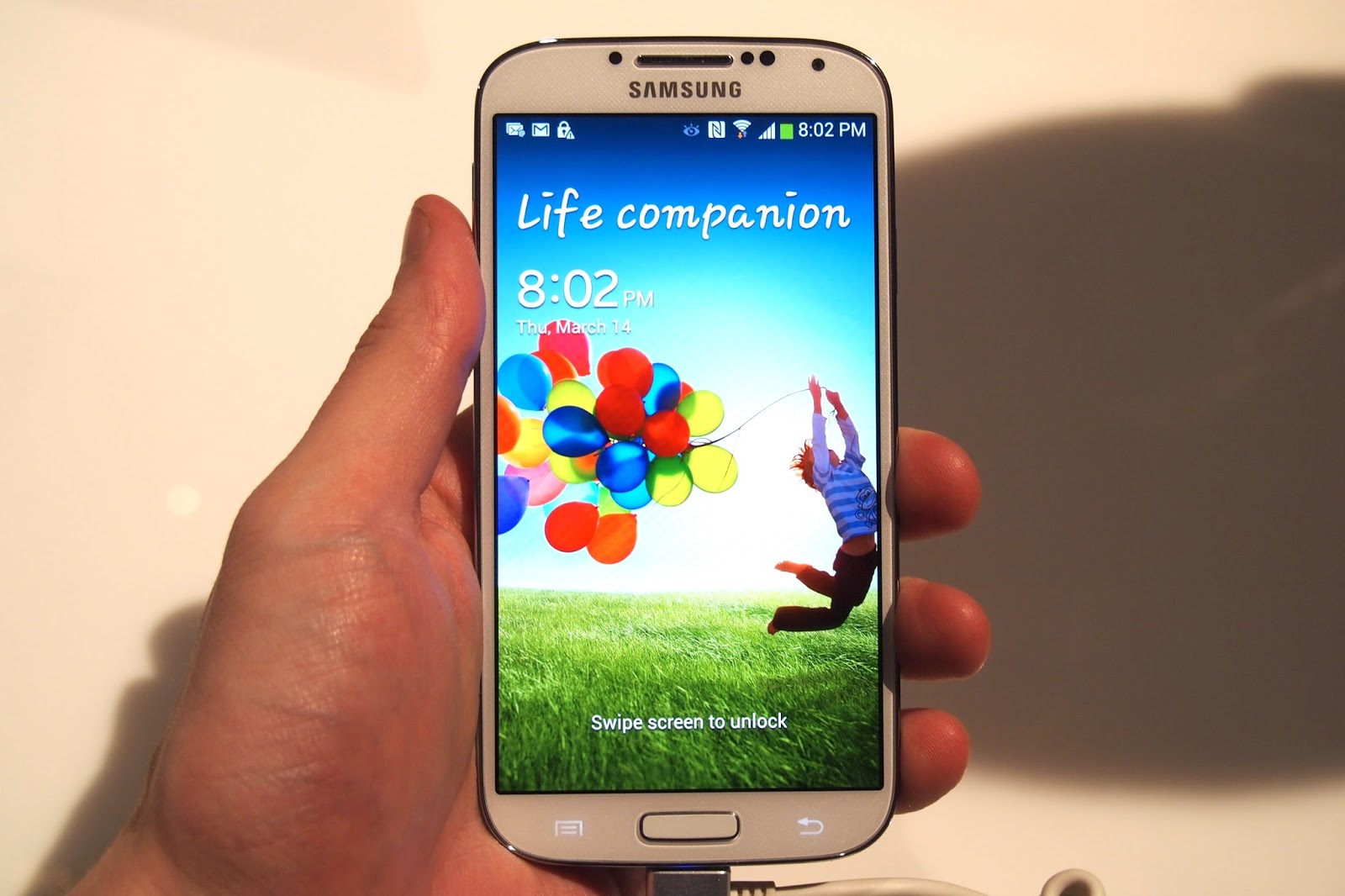
Ini dia penampakan hp galaxy s4 replika alias palsu


Kalo ini yang asli


Terlihat sangat beda kan? Baik dari sisi body maupun kualitas warna yang dihasilkan,

Sebenarnya hp replika bukanlah ilegal, banyak juga yang memburunya agar terlihat nge-trend/sekedar gaya dengan bermodalkan budget terbatas. Namun ada pula penjual hp replika yang menjual dengan harga yang menyamai harga hp aslinya dan inilah yang membuat rugi pembelinya.

 selain itu ada cara lain untuk membedakannya yakni :

 cara membedakan hp android palsu atau tidak.

   1. Bukalah website http://apps.opera.com/
Scroll ke bagian bawah halaman, maka akan terlihat nama hp android anda 


Jika android kalian merupakan ponsel android lokal/china (tak terkecuali replika) maka muncul tulisan "Your device is Android Generic Android "

Sony Xperia apabila dicek melalui cara ini juga tertulis "Your device is Android Generic Android " Hal ini karena negara perakit Sony dari China juga

2.  Menggunakan AnTuTu Bechmark 
Antutu benchmark merupakan sebuah aplikasi yang mengukur performa Android anda sekaligus mencatat spesifikasi android anda.

Lakukan serangkaian test lalu lihatlah pada bagian Authenticated dan System Info. Untuk yang System Info, perhatikanlah spesifikasinya lalu cobalah bandiingkan spesifikasi lengkap hp yang bisa dicari di www.gsmarena.com


Pada antutu benchmark hp replika akan terdeteksi sebagai 'Unknown Device'


3.  Menggunakan Sample Camera
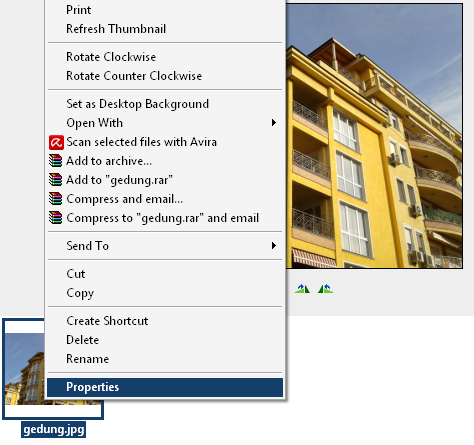
Cobalah kalian memotret menggunakan kamera Android anda, kemudian hasilnya cek di komputer (Windows). Klik kanan file fotonya, klik properties, klik summary, klik advanced. Perhatikan pada bagian “Equpment Make” dan “Camera Model”


4  Melakukan Tes IMEI

Buka menu dial(panggilan) lalu ketikan *#06# maka akan muncul sederetan angka yang merupakan nomor imei ponsel kalian.
Selain itu mengecek IMEI bisa dengan melihat nomor imei yang ada di belakang body ponsel (Buka dulu penutup baterai dan baterainya) serta bisa dilihat di dusbook pembelian)
Lalu mengetahui nomor IMEI lalu masuklah ke linkberikut
http://www.numberingplans.com/?page=analysis&sub=imeinr
ketikan nomor imei, lalu akan muncul detail dari ponsel kalian


****

UNTUK HP SAMSUNG
Hp Samsung Asli di balik baterai ada Segel Hologram bertuliskan SEIN

Selain itu, untuk mengecek keaslian hp samsung, caranya download software KIES lalu diinstall di komputer kemudian hubungkan hpnya ke komuter melalui kabel usb dan buka software KIES, Sp Samsung Asli sudah pasti akan terdeteksi kodenya di software KIES

Cara lain : Buka panggilan/dial, lalu tekan kode *#0*#  Smartphone Samsung asli akan muncul test mode 

***

Android anda sudah pasti bukan replika apabila telah melakukan semua tes diatas, dan hasilnya benar/sesuai dengan hp aslinya

Hp yang dibeli di gerai/dealer resmi sudah pasti hp asli


Android replika terkadang memiliki status bar yang berbeda

Hampir sebagian besar hp china/lokal, dan termasuk hp replika menggunakan CPU/Processor MTK dan saat tulisan ini ditulis tidak ada hp Samsung/HTC/Motorola/Sony(kecuali Sony XperiaC) yang menggunakan cpu/processor MTK. Dan untuk mengetahui tipe CPU/Processor, kalian bisa mengetesnya melalui aplikasi CPU-Z.

Friday, 16 May 2014

Cara Mempartisi SD Card Untuk Android

Di artikel Ilmu-Android ini, saya akan membahas tentang cara melakukan partisi sd card/microSD pada smartphone Android anda.

Apa itu Partisi ?

Partisi adalah pengelolaan/pembagian penyimpanan data. Nah yang dibahas kali ini adalah cara partisi sd card. Secara default, sd card yang kita beli hanya memiliki 1 buah partisi yakni fat32. Dengan melakukan partisi pada sd card, kita bisa membaginya menjadi  3 buah partisi yakni fat32, ext2, dan Linux Swap

Apa kegunaan Partisi ?

Partisi pada sd card digunakan untuk meringankan memory internal. Beberapa smartphone Android seperti Galaxy Mini, Galaxy Young, Sony Ericsson Xperia X8, dan lain-lain memiliki memory internal yang kecil. Perlu kalian ketahui, setiap kita menginstal aplikasi walaupun diinstal di sd card, pasti memory internal akan bertambah sehingga  kita tidak bisa menginstal banyak aplikasi. Maka dari itu, perlu dilakukan partisi pada sd card.

========================================================================
Secara umum, partisi pada sd card dibuat 3 buah partisi yakni fat32, ext2, dan linux swap.
Fat32 berguna untuk menyimpan data seperti lagu-lagu mp3, video, foto, dokumen, dan lain-lain. Ext2 berguna untuk tempat menginstal aplikasi, ext2 boleh dikatakan sebagai memory internal kedua, nah partisi ext2 ini digunakan ketika kita akan memindah aplikasi yang ada di memory internal ke sd card secara paksa. Pemindahan ini harus menggunakan aplikasi link2sd yang dapat diinstal apabila smartphone Androidmu telah di root.
Linux swap sendiri merupakan partisi yang digunakan untuk membantu kinerja RAM. Partisi ini dipakai apabila smartphone Androidmu memiliki RAM yang kecil.
========================================================================

Warning !!!
Sebelum melakukan partisi pada sd card, pastikan anda telah memindah data-data pada sd card ke komputer. Karena ketika melakukan partisi, data-data pada sd card 
anda akan terhapus

========================================================================
Cara melakukan partisi
1)   Download software Mini Tool Partition Wizard Server Edition 7.7 (jika susah/gagal mendownload lewat tusfiles, klik link ini terlebih dahulu, lalu klik link tadi)
Download Serial keynya (LINK FIXED)
2)   Install software tersebut di Komputer/Laptop, buka dan masukan kode serialnya


3)   Colok microSdDke komputer atau laptop menggunakan card reader. Warning !!! Jangan menggunakan kabel data

4)   Buka software mini tool partition wizard
5)   Pilih drive microSD anda lalu klik delete sehingga menjadi unallocated


6)   Klik  kanan disk unallocated itu, lalu klik create
PARTISI 1
Untuk menyimpan data utama seperti lagu, gambar, video, dll. Buat aja yang besar
  • Create As      : Primary
  • File System   : fat32

Saya sarankan :
microSD 2 GB           : 1,4 GB
microSD 4 GB           : 3.05 GB
7)   Klik OK
8)   Setelah itu, maka akan ada sisa dari microSD anda. Nah sisa ini digunakan untuk membuat partisi kedua.  Klik kanan pilih create

PARTISI 2                                                                                                                               Untuk menjadikan memory internal kedua

  • Create As      : Primary                                                                                                         
  • File System    : ext2                                                                                                             
  • Cluster size    : 4 KB


Saya sarankan :

microSD 2 GB           : Sisa tadi                                                                                  microSD 4 GB          : 600 MB

9)   Klik OK
      Jika muncul pesan berikut wajar saja, karena Windows memang tidak mendukung partisi ext2 


10)  Lalu kita buat lagi partisi ketiga. Saya sarankan partisi ketiga ini dilakukan untuk microSD 4 GB dan diatasnya. Jadi microSD 2 GB sebaiknya tidak.

PARTISI 3                                                                                                                                 Untuk membantu kinerja RAM

  • Create AS      : Primary                                                                                                           
  • File System    : linux swap


Saya sarankan :

microSD 4GB            : Sisanya

==================================================================

Contoh Partisi MicroSD yang berukuran 4 GB ( ukuran sebenarnya 3,75 GB )
  •          Primary Fat32              : 3.05 GB
  •          Primary Ext2                : 600 MB
  •          Primary Linux Swap    : 100 MB
Contoh Partisi MicroSD yang berukuran 8 GB ( Ukuran sebenarnya 7.5 GB )


           ===================================================================
11)  Klik OK
12)  Setelah selesai semuanya, klik Apply yang ada pada pojok kiri atas

13)  Akan muncul peringatan 


Sebelum klik yes pastikan anda telah menutup software yang mengatur keluar masuk flashdisk/microsd seperti :


14)  Klik yes, tunggu proses mempartisi selesai
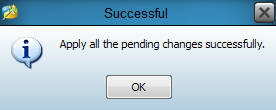
15) Jika muncul pesan berikut berarti selamat microSD anda sudah dipartisi


Setelah melakukan partisi ini, Untuk meringankan memori internal silahkan anda install aplikasi link2sd / link2sd extreme / data2sd / a2sd / gl2sd / mount2sd / dc2sd, atau yang lainnya,  (pastikan smartphone androidmu telah di root). Setelah menginstal aplikasi ini, pindah aplikasi yang disimpan di memory internal ke microSD sehingga memory internal Android anda menjadi lebih lega.

Sumber : http://ilmu-android.blogspot.com/2012/06/cara-melakukan-partisi-microsd-di.html

Thursday, 15 May 2014

Kode - Kode Rahasia Handphone Samsung Galaxy S II, Ace, Fit, Gio, Mini & Galaxy Y


*#*#4636#*#* phone information
*2767*3855# hard reset (menghapus semua files & settings di internal memory, atau sama dengan memformat ulang firmwarenya warning! Kalo udah pencet ini langsung hardreset, ngga ada pilihan cancel.)
*#*#7780#*#* factory reset (hanya menghapus account, system & aplikasi setting)
*#*#7594#*#* change end call/power option
*#*#197328640#*#* service mode
*#*#273283*255*663282*#*#* file copy screen (backup media files)
*#*#526#*#* wlan test
*#*#232338#*#* shows wifi mac address
*#*#1472365#*#* gps test
*#*#1575#*#* another gps test
*#*#232331#*#* bluetooth test
*#*#232337#*# shows bluetooth device address
*#*#8255#*#* gtalk service monitor

codes to launch various factory tests:
*#*#0283#*#* packet loopback
*#*#0*#*#* lcd test
*#*#0673#*#* melody test
*#*#0842#*#* device test (vibration test and backlight test)
*#*#2663#*#* touch screen version
*#*#2664#*#* touch screen test
*#*#0588#*#* proximity sensor test
*#*#3264#*#* ram version

codes to get firmware version information:
*#*#4986*2650468#*#* pda, phone, h/w, rfcalldate
*#*#1234#*#* pda and phone
*#*#1111#*#* fta sw version
*#*#2222#*#* fta hw version
*#*#44336#*#* pda, phone, csc, build time, changelist number


Thursday, 1 May 2014

[S5670DXKT4+Odin+SUD] Samsung Galaxy Fit Stock Rom Firmware


This firmwares or ROM are for Samsung Galaxy Fit S5670 only, don't ever attempt to flash it to other device other than the Samsung Galaxy Fit S5670


Materials required :


Procedure :

Note : "you have to install the samsung usb drive first!"

Step 1: After successful downloading the Firmware package given above, extract it using Winrar. You’ll find the following files inside it: S5670DXKT4_S5670OLBKT4_S5670DXKT4_HOME.tar.md5, BENI_v1.0.0ps & ODIN_v4.38.

Step 2: Now switch off your Galaxy Fit completely and enter into downloading mode.
Download-modeStep 3: For Fit, downloading mode can be entered by holding ‘Home Button (middle button) + Volume down key + Power Button’simultaneously until the download mode appears.
Step 4:  Keeping your device in downloading mode connect it to your PC using USB cable.
Step 5: Open ‘Odin Multi Downloader_v4.38‘ software from the firmware package folder which you have just downloaded & extracted on your PC. As soon as you open it, the ID:COM section in it will turn yellow. If it’s not showing, then check that a proper device drivers are installed on your PC. You can install them from the Samsung Kies CD which you’ve got at the time of purchase.
Step 6: Now select the OPS tab located on the Odin Downloader and select ‘BENI_v1.0.ops’file from the Firmware package.
Step 7: On top left side on the Odin, you’ll find One Package option. Tick that so that the One Package option at the bottom gets highlighted. So click that One Package option and select ‘S5670DXKT4_S5670OLBKT4_S5670DXKT4_HOME.tar.md5’ file located in the firmware package folder. Do not check or un-check any other option from the Odin Multi Downloader. You may refer the screenshot given below.
Galaxy-Fit-Official-Gingerbread-2-3-6-DDKT3-ODIN-screenshot
Step 8: After attempting everything as mentioned above,start the process by clicking on the Start button located on the Odin window. Your phone will automatically reboot itself while going through the process. Do not touch or remove the USB cable until the process completes.
Step 9:  The process will last upto few minutes to complete. As soon as it completes, you’ll see that the ID:COM section on the Odin window is turned blue with the message ‘Pass’ below it. This will confirm that you have properly flashed your Galaxy Fit with 2.3.6 DXKT4 Gingerbread. You can now disconnect your device by safely removing the USB cable.
Note: If the process fails or if Odin gets stuck or in case your device gets boot loops, then close the Odin window, remove battery from your Galaxy Fit and re-insert it. Again go into downloading mode and follow the same procedure as given above.
Step 10: After successfully completing the process, boot your device into recovery mode by holding Home button (Middle button) and Power button simultaneously until the recovery mode appears.
Note: Touch will not work here in recovery mode. So all you need to do is use Volume Up andVolume Down keys for navigation and Home button (Middle button) for selection.
Step 11: On the recovery mode, navigate to the ‘Wipe data/factory reset’ option followed by the ‘Wipe Cache partition’ option & select them to clear all the data and caches from your phone memory.
Step 12: Then go back to the main menu of recovery mode and select ‘reboot system now’option to restart your device.

WATCH VIDEO TOTURIAL HERE : 

=========DWYOR (Do With Your Own Risk)==========

Monday, 28 April 2014

Six Guns (QVGA, HVGA, Armv6^) APK+DATA


 VIDEO :


Six Guns finally works on Low End android devices and This game is tested on LG Optimus One,Galaxy Gio,ACE and FIT,now it is also tested on QVGA Phones....

Review of Six Guns:
Game is so cool and graphics are awesome,i would give it 5 out of 5 in Graphics ,In story i think there is no story in this game because i have played it till 20 missions and do not understand any story yet,Its FPS Game,over all i will give 3 stars to this game because of 1 thing, all missions will come again and again with different levels so it will be so boring to play same missions again and again........

Download Link:

APK :


DATA :
http://www.umrohiqra.com/wp-content/uploads/2013/11/download_button-Animated.gif

NOTE : Install apk and place data folder to SDCard/Gameloft/Games/(HERE)

Sumber : http://www.andropalace.net/2012/03/six-guns-3d-armv6-on-hvga320x480-and.html, http://www.youtube.com/watch?v=uVi1Ix3slXI